Impact drivers crush fasteners fast. Drills give you torque control and precision. We explain the difference and which one to buy for each job.
Current recommendations are research-backed. Each article identifies its evidence, sources, update date, and limitations. No current guide is presented as hands-on tested. As an Amazon Associate, ToolShed Tested earns from qualifying purchases. When you buy through our links we may earn a commission -- at no extra cost to you. Product links and article details last reviewed April 10, 2026. Full disclosure.
Drills and impact drivers look similar and both turn fasteners, which creates endless confusion for first-time buyers. But they work differently under the hood, and each excels at different tasks. After years of running both tools through finish carpentry, cabinet work, and deck framing, the distinction is clear: choosing the right one makes the work faster, more precise, and easier on your joints.
The short version: a drill is about control, and an impact driver is about power. Where you need one, the other will usually be slower, rougher, or harder to control.
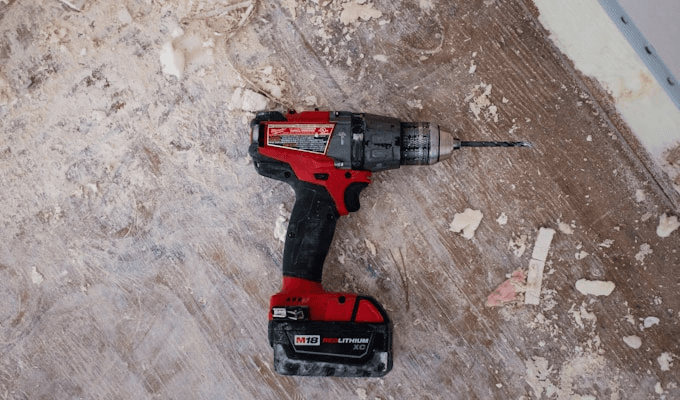
How a Drill/Driver Works
A drill/driver uses a standard chuck that accepts round and hex-shanked bits. It delivers continuous rotational force through a gearbox. The adjustable clutch lets you set a torque threshold -- the clutch slips when the screw reaches the desired depth, preventing over-driving. This is what makes drills the right choice for delicate or precision work. You're dialing in exactly how much force the tool applies, and when it hits that limit, the clutch disengages rather than burying the screw or stripping the head.
The two-speed gearbox gives you additional control. Low gear (typically 0-400 RPM) delivers maximum torque for large-diameter drilling and driving. High gear (typically 0-1800 RPM) runs faster for smaller holes and quick driving in soft material. Most experienced woodworkers live in high gear for general drilling and drop to low gear only when they need the torque multiplication.
Key features:
- Adjustable clutch (15-25 settings)
- Two-speed gearbox
- 3/8" or 1/2" keyless chuck
- Accepts all drill bits and driver bits
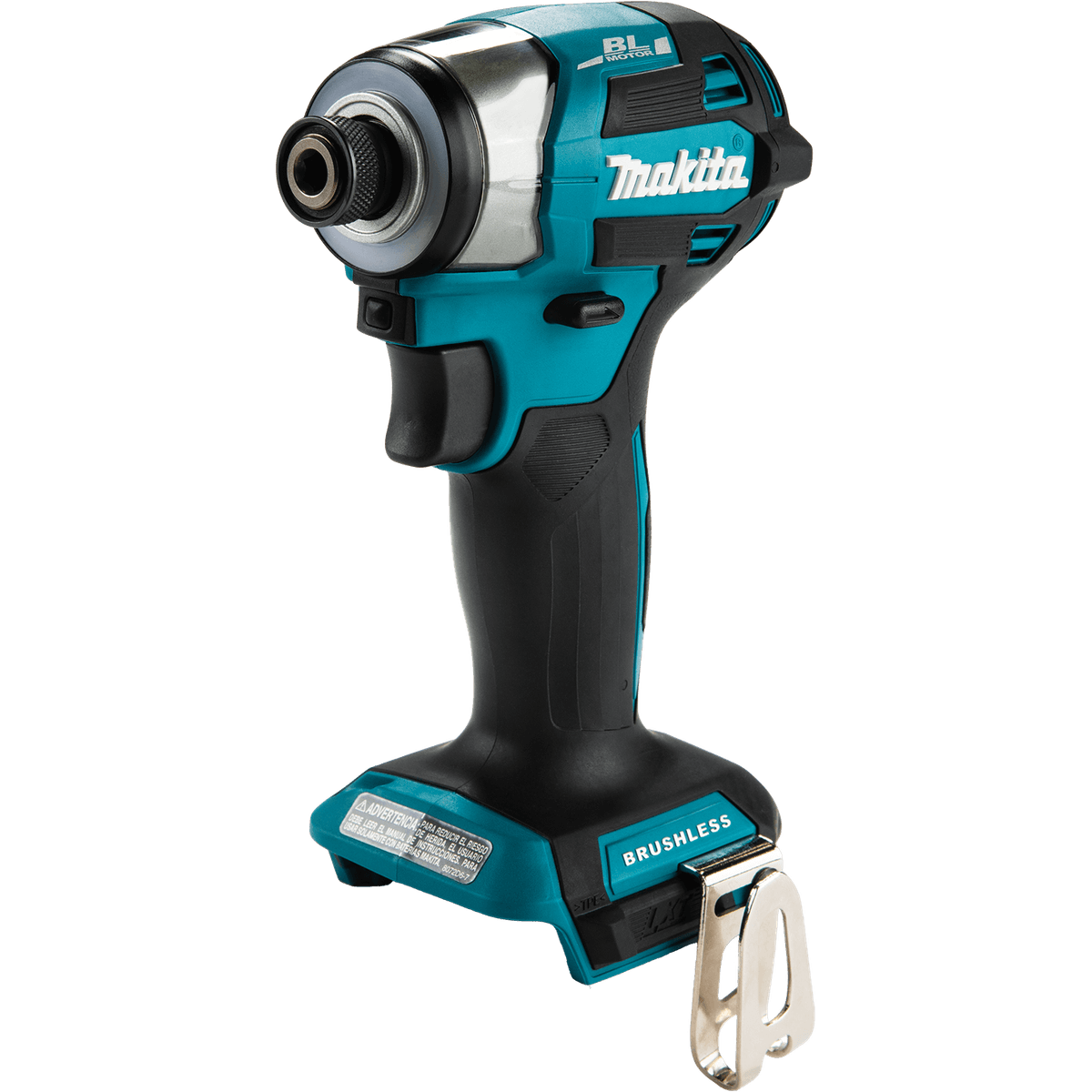
How an Impact Driver Works
An impact driver uses a 1/4" hex collet (not a chuck) and delivers torque through rapid concussive rotational blows -- typically 3,000-4,000 impacts per minute. When it senses resistance, the impact mechanism kicks in, multiplying torque dramatically without transferring the reaction force to your wrist.
That last part matters enormously in practice. When you try to drive a 3-inch deck screw into treated lumber with a standard drill, you feel every bit of the resistance in your wrist and forearm. The drill wants to twist out of your grip. With an impact driver, the internal hammer mechanism absorbs that reaction force internally. Your wrist stays relaxed, and long fastening sessions are far easier to control.
Key features:
- No clutch (some models have electronic speed modes)
- 1/4" hex quick-release collet
- Compact and lightweight
- Very high torque output (1,200-2,300 in-lbs)
Pro Tip:The professional move is to own both and use them together: drill pilot holes with the drill/driver, then drive screws with the impact driver. No bit changes, no wasted time.
The drill/driver's biggest limitation is raw power. Most cordless drills top out around 600-750 in-lbs of torque -- enough for general drilling and light fastening, but genuinely inadequate for structural work. Try to drive a 1/2-inch lag bolt with a standard drill and you'll either stall the motor or feel the drill trying to rotate your arm at the shoulder. It's not just slow -- it can actually damage the motor if you push it hard enough on fasteners it wasn't designed for.
Drills also feel slow and laborious when driving quantities of screws. If you're framing a wall or decking a floor, switching to a drill from an impact driver feels like running in wet sand. The tool works -- it just takes noticeably more time and effort than it needs to.
The impact driver has different failure modes. Without a clutch, there's no automatic stopping point. In soft materials like pine or MDF, the tool can drive a screw two or three threads too deep before you react -- and on finish surfaces, that means a blown countersink or a split face frame. The noise is also genuinely loud: the hammering mechanism produces a distinctive rapid-fire sound that will bother neighbors and make hearing protection mandatory on any extended job. I keep foam plugs on my bench whenever the impact driver comes out.
Impact drivers also can't use most drill bits effectively. The 1/4-inch hex collet accepts hex-shank drill bits, but the concussive action makes slightly out-of-round holes and can snap smaller bits, especially in metal. For any precision hole boring, the impact driver is the wrong choice regardless of what hex-shank bits you have available.
If You Can Only Buy One
Buy a Drill/Driver If:
- You're a homeowner doing varied tasks
- You drill holes as often as you drive screws
- You work with delicate materials that need clutch control
- You're building your first tool collection
- Most of your fastening is short screws in soft materials
Buy an Impact Driver If:
- You rarely drill holes (or own a separate drill)
- Most of your work is driving screws and fasteners
- You do deck building, framing, or construction
- Wrist fatigue is a concern
- You frequently deal with long fasteners or lag bolts
The Best of Both Worlds
Most major brands sell drill/impact combo kits with two tools, two batteries, and a charger. These are almost always a better value than buying each tool separately. See our best cordless tool combo kits guide for a full breakdown of which bundles deliver the most value per dollar. If you're starting a battery platform, this is the smartest first purchase. Not sure which brand to go with? Our Makita vs Milwaukee breakdown covers the most important trade-offs between the two leading professional platforms.
Which One Should You Buy
If you're a homeowner doing general maintenance, furniture assembly, and the occasional project -- hanging shelves, installing hardware, basic repairs -- start with the drill/driver. Our best cordless drills for beginners guide focuses specifically on lightweight, easy-to-control models that won't overwhelm a first-time buyer. The clutch control will save you from stripping screws and over-driving into drywall, which are the two most common frustrations for people new to power tools. The drill/driver handles 90 percent of home tasks without complaint, and you can add an impact driver later when you hit its limits.
If you're a DIYer who regularly tackles outdoor projects -- fencing, decking, framing a shed -- the impact driver is the tool you actually need. The combination of raw torque and zero wrist fatigue makes structural fastening genuinely enjoyable rather than a grind. I'd still suggest pairing it with a drill for hole boring, but if forced to choose just one for outdoor construction work, the impact driver wins.
Contractors and serious DIYers should own both. In a two-tool workflow, the drill handles pilot holes and delicate screws while the impact driver handles driving. Running both simultaneously -- one for pilot holes, one for fasteners -- cuts project time significantly compared to using a single tool for both tasks. The combo kit approach makes this economically straightforward, typically saving $60-$80 compared to buying the tools individually.
For tradespeople -- electricians, HVAC installers, plumbers -- the impact driver is often the only driver they need. Most trade fastening involves structural connections that benefit from high torque, and the compact form factor of an impact driver fits into tight spaces that a full-size drill struggles with. The Milwaukee M12 FUEL impact driver, for example, is popular with electricians precisely because it's small enough for tight panel work while still delivering serious torque for conduit straps and junction box fasteners.
Common Misconceptions
- "Impact drivers drill holes." Technically they can spin a drill bit, but the impacts create slightly out-of-round holes and can break small bits. Use a drill for holes.
- "Drills have enough torque for anything." A standard drill maxes out around 700 in-lbs. Long construction screws and lag bolts need more -- that's where the impact driver shines.
- "Impact drivers are louder." True -- the impacts create a distinctive rapid hammering sound. Hearing protection is recommended.
- "A higher clutch setting is always better." Not for finish work. Setting the clutch too high defeats the purpose -- set it to the lowest number that still seats the screw flush, then stop there.
- "Any bit works in an impact driver." Standard chrome bits will shatter under repeated impact. Always use impact-rated bits -- they're made from softer steel that flexes rather than breaking catastrophically.
FAQ
Can an impact driver strip screws?
Yes, if you use the wrong size bit or cheap fasteners. The high torque can cam out of a Phillips head. Use impact-rated bits and star-drive screws when possible.
Do I need special bits for an impact driver?
Yes. Use impact-rated (black or dark-colored) bits. Standard chrome bits can shatter under the concussive force. Impact bits are made from softer steel that flexes instead of breaking.
Why does my impact driver have speed modes?
Speed modes limit the RPM and impact force, giving you some of the clutch-like control that a drill has. Use the lowest mode for short screws in soft material, and full power for heavy fastening.
Is a hammer drill the same as an impact driver?
No. A hammer drill delivers impacts along the axis (forward and back) to break through masonry. An impact driver delivers rotational impacts (around the axis) to drive fasteners. Completely different mechanisms for different jobs.
Can I use an impact driver for deck screws if I don't own a drill?
Yes -- in fact, this is one of the best use cases for an impact driver. Deck screws are typically designed for star-drive (Torx) bits, which seat better in an impact driver than Phillips anyway. You won't need a clutch for most deck screwing because you're driving into dimensional lumber and the screw head acts as a natural depth stop against the wood surface.
What's the difference between IPM and RPM on an impact driver?
RPM (revolutions per minute) measures how fast the bit rotates. IPM (impacts per minute) measures how often the hammer mechanism fires. At full speed, a typical impact driver might spin at 3,200 RPM while also firing 3,600 impacts per minute. Both numbers contribute to fastening speed, but IPM is what gives the tool its ability to overcome resistance without stalling.
Should I buy a brushless or brushed model?
Brushless is worth the small premium for either tool type. Brushless motors run cooler, last longer, and deliver noticeably better runtime per charge. For occasional use a brushed motor will serve you fine, but if you're using the tool regularly, brushless pays for itself in battery savings and motor longevity within the first year or two.