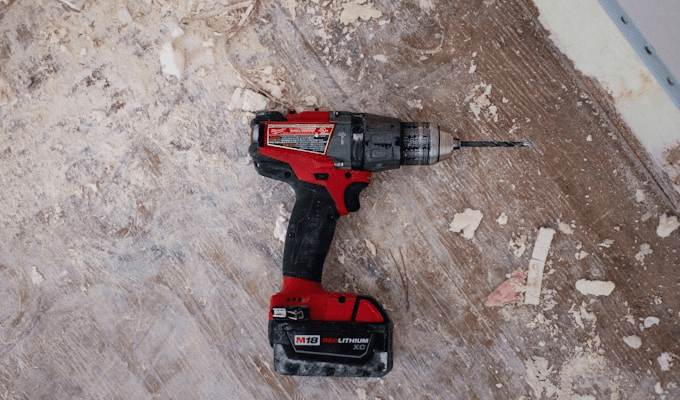
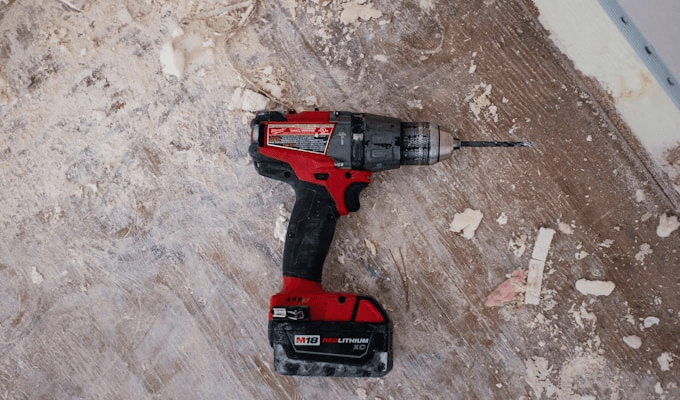
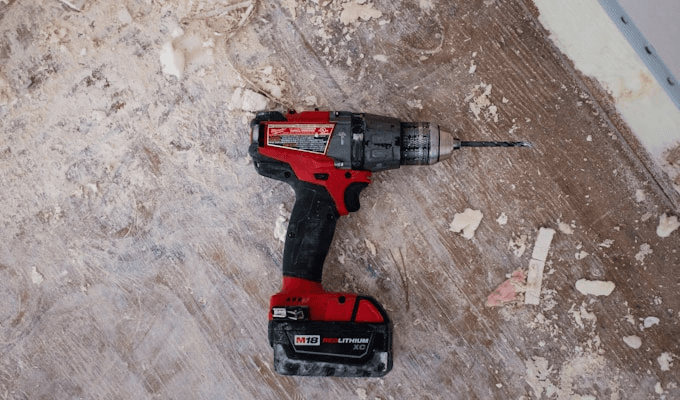
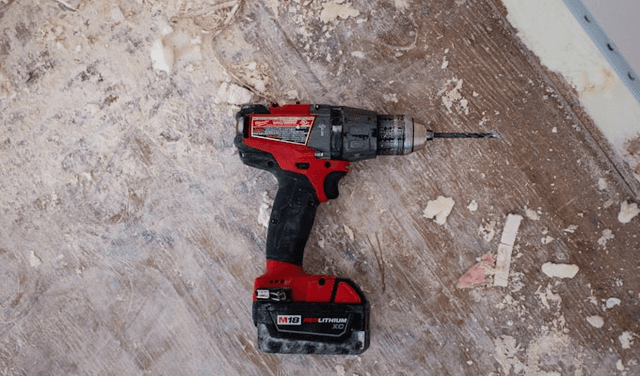
6 Reasons Your Drill Keeps Stalling (and How to Fix Each One)
Nothing kills momentum on a project faster than a drill that bogs down mid-hole. Whether you're driving screws into deck boards or boring through framing lumber, a stalling drill means lost time and frustration. In almost every case the fix took under five minutes once the real cause was identified. The good news: most causes are simple to diagnose and fix without a trip to the service center. Here's how to work through each one systematically.
1. Dead or Weak Battery
The most common culprit -- and the first thing to check -- is a battery that can't deliver enough current under load. Lithium-ion cells have an internal resistance that increases as they age and as charge drops. Even if the charge indicator shows one bar remaining, the actual voltage under load may have dropped below what the motor needs to turn under resistance.
This is especially pronounced with high-drain tasks like driving 3-inch structural screws or boring large holes through dense hardwood. The battery may spin the chuck freely with no load but collapse as soon as the bit bites into material. You can verify this by paying attention to whether the stalling happens immediately or only after you're partway through a cut -- if it's only under load, the battery is your prime suspect.
- Fix: Swap in a fully charged battery. If you only own one, let it charge completely before continuing. A 5-10 minute charge won't give you enough headroom for demanding work.
- Prevention: Keep two batteries in rotation so one is always topped off. For professional use, three batteries is the practical minimum on a full workday.
2. Wrong Speed Setting
Most cordless drills have a two-speed gearbox, and using the wrong speed for the task is an extremely common mistake -- even among experienced users who switch tasks without thinking about it. The two speeds serve fundamentally different purposes and using the wrong one puts unnecessary stress on the motor.
Speed 1 (low speed, high torque -- typically under 500 RPM) is for driving screws, boring large holes, mixing materials, and any task that requires sustained torque against resistance. Speed 2 (high speed, low torque -- typically 1,400-2,000 RPM) is for drilling small pilot holes, driving into soft materials quickly, and tasks where speed matters more than force. Using Speed 2 for heavy driving tasks starves the bit of torque and forces the motor to work against its own gearing, generating heat and causing the motor to stall.
- Fix: Switch to Speed 1 for demanding tasks. Always release the trigger completely and let the chuck stop spinning before switching gears -- switching under load can damage the gearbox.
- Rule of thumb: If you're pushing hard and the drill is slowing down, you need more torque (Speed 1), not more speed.
3. Dull or Incorrect Drill Bit
A dull bit doesn't cut -- it rubs. Instead of slicing cleanly through material, dull cutting edges scrape and compress, creating excessive heat and requiring far more rotational force. The drill motor works harder for less result, and eventually bogs to a stop. This is one of the most overlooked causes because people don't replace bits often enough.
Equally important is using the right bit type for the material. Using a standard twist bit on masonry will cause immediate bogging and bit damage. Using a wood spade bit on metal will do the same. Even using the right category but wrong geometry -- like a brad-point bit in metal, or a standard HSS twist bit in hardwood when a brad point would perform better -- creates more friction than necessary.
- Fix: Inspect the cutting edges carefully. On twist bits, the lips should be sharp and show a clean, bright edge -- not rounded or chipped. Spade bits should have clean, sharp spurs. If in doubt, replace the bit. Bits are cheap; motor damage is not.
- Match the bit to the material: Masonry bits (carbide-tipped) for concrete and brick, HSS or cobalt bits for metal, brad-point bits for clean holes in wood, spade or Forstner bits for large holes in wood.
- Use cutting speed correctly: Hard materials like metal require slow speed and cutting fluid. Soft materials like pine can handle higher speeds. Running too fast generates heat that dulls bits prematurely.
4. Overloading the Motor
Every cordless drill has practical limits based on its voltage, motor design, amperage draw, and gearing. Asking a compact 12V drill to bore 2-inch holes through oak or drive 3/8-inch lag screws will overwhelm the motor even with fresh batteries and the correct speed setting. The motor exceeds its thermal and current limits, and either the battery management system cuts power to protect the cells, or the motor overheats and loses torque rapidly.
Signs you're overloading the motor: the drill gets hot quickly, it stalls repeatedly on the same task with a fresh battery, or you can smell the motor winding insulation beginning to degrade. That burning smell is a serious warning -- stop immediately if you detect it.
- Fix: Use a pilot hole first for any hole larger than 3/8 inch, then step up in bit size incrementally. For very demanding tasks -- large holes in hardwood, lag screws into framing, boring through steel -- you may need a more powerful platform (18V/20V versus 12V) or a corded drill for continuous-duty work.
- Step drilling: For large holes in metal, start with a 1/8-inch bit, then 1/4 inch, then your final size. The material removal is distributed across multiple passes, and each pass is much easier on the motor.
5. Clutch Set Too Low
The adjustable clutch ring on a drill/driver is one of the most useful and most misunderstood features on the tool. It disengages the motor's drive when a certain torque threshold is reached -- this protects screw heads from being overdriven and stripped. But if it's set too low for the task at hand, it will slip before the screw is fully driven, creating a clicking, stalling sensation that can be mistaken for motor trouble.
The clutch is numbered from 1 (lowest torque before disengagement) to 20 or higher (maximum before disengagement), with a drill icon at the end that bypasses the clutch entirely. For driving deck screws, you'd typically run at 12-16. For assembling furniture with delicate pocket screws, you'd run at 4-6. Getting the setting wrong in either direction causes problems -- too low and it slips, too high and you overdrive and strip.
- Fix: Turn the clutch ring to a higher number when the drill is slipping before the screw seats. For boring holes (as opposed to driving screws), always use the drill icon (full torque mode) to prevent the clutch from engaging mid-cut.
- Dialing it in: Start low on a scrap piece and increase until the screw drives to the correct depth. Mark this setting for that screw type and remember it for future use.
6. Motor or Brush Wear
In brushed drills, carbon brushes make physical contact with the commutator to transfer current to the motor windings. Over thousands of cycles, these carbon blocks wear down. Once they're too short to maintain consistent contact, the electrical connection becomes intermittent -- the drill loses power randomly, stalls unexpectedly, or sparks visibly at the motor housing. This is normal wear, not a defect, and is completely repairable.
Brushless drills use electronic commutation instead of physical brushes, so they don't have this specific failure mode. However, brushless motors can still develop electronic faults -- failed FETs in the controller, damaged hall-effect sensors, or loose internal connections -- that produce similar stalling symptoms. These require professional diagnosis.
- Fix for brushed drills: Locate the brush caps on the motor housing (usually small plastic or metal plugs on opposite sides of the motor). Remove them with a flathead screwdriver or coin. The brush assembly will slide out. If the carbon block is less than 1/4 inch long, replace both brushes (always replace in pairs). Replacement brushes are brand-specific and available from the manufacturer or online.
- Fix for brushless drills: If you've eliminated every other cause and a brushless drill is still stalling intermittently, contact the manufacturer's service center. Most quality brands offer free or low-cost service within the warranty period, and brushless controllers are often cost-effectively repaired.
Diagnosing Your Specific Stall Situation
The pattern of the stall tells you a lot about the cause. Rather than guessing, pay attention to exactly when and how the drill stalls, and use the following to narrow it down quickly.
Stalling Only Under Load: Battery vs. Motor
If the drill spins freely with no bit attached but stalls as soon as it hits resistance, you're looking at either a weak battery or a motor at its thermal or torque limit. The test: swap in a fully charged battery. If the stalling disappears, it was the battery. If it persists, the problem is mechanical or motor-related -- check bit sharpness, speed setting, and whether you're asking too much of the platform's voltage. A 12V drill stalling on a task a 20V handles easily is not a broken drill -- it's the wrong tool for the job.
Stalling at Startup
A drill that stalls or hesitates before it gets going -- even with a fresh battery -- usually has one of three problems: a faulty trigger switch with intermittent contact, a worn chuck that's binding on the bit shank, or a seized gear in the transmission. To test the chuck: remove the bit completely and spin the chuck freely by hand. It should rotate smoothly with no grinding or catching. If it grinds, the chuck may have debris inside or need replacement. A trigger switch that cuts out can often be felt as a momentary dead spot when you depress it -- consistent power with a slow trigger press, intermittent with a fast press.
Intermittent Stalling With No Clear Pattern
Random stalling that doesn't correlate with load level, battery charge, or speed setting is the hardest to diagnose -- and usually points to an electrical problem rather than a mechanical one. In brushed drills, this is almost always worn carbon brushes. In brushless drills, it's most often a failing electronic speed controller or a loose internal connection. Before sending the tool for service, fully charge the battery, clean the battery contacts with isopropyl alcohol, and verify the contacts in the battery port are clean and not bent. Dirty contacts can cause exactly this kind of erratic behavior and are fixed in 60 seconds.
Step-by-Step: Battery Health Check
Before assuming your drill has a mechanical problem, run through this battery health check. A failing battery mimics nearly every other stall cause and is far more common than motor failure.
- Check the charge indicator. Insert the battery into the tool and press the battery level indicator button (if equipped). Note the number of bars showing. For demanding tasks, you need full charge or near-full -- one bar is not enough.
- Do the voltage test. If you have a multimeter, set it to DC voltage and probe the battery terminals. A fully charged 18V/20V battery should read between 20 and 21.6 volts at rest. A battery reading below 18 volts at full charge has degraded cells and will stall under load even though the charge indicator may still show bars.
- Run the load test. Install the battery, set the clutch to the drill icon (full torque), and squeeze the trigger while holding the chuck. A healthy battery maintains torque for several seconds; a weak battery will slow noticeably within 1-2 seconds.
- Check the battery age. Most manufacturers print a date code on the battery pack or label. If the battery is more than 4 years old and receives regular use, capacity degradation is expected -- regardless of what the indicator shows.
- Inspect the contacts. Look at the gold or silver contact strips on the top of the battery pack. They should be clean and bright. Oxidation, corrosion, or residue creates resistance that drops voltage under load. Clean with a cotton swab and isopropyl alcohol.
- Try a different battery. If you have access to another battery from the same platform -- borrow one from a friend or take the drill to a hardware store that allows testing -- swap it in. If the stalling disappears entirely, you've confirmed the battery is the problem.
Preventive Maintenance to Stop Stalling Before It Starts
Most drill stalls are preventable with regular, simple maintenance. These habits take under 10 minutes a month and will extend your drill's working life significantly.
- Keep two charged batteries in rotation. Never start a demanding task with a single battery at partial charge. The convenience of having a spare ready is not just about productivity -- running a battery into deep discharge under heavy load accelerates cell degradation.
- Replace drill bits before they're completely dull. A sharp bit requires half the motor effort of a dull one. Date your bits when you buy them (a marker on the shank works fine) and replace standard HSS twist bits every 6-12 months of regular use, or whenever you notice the drill working harder than usual on the same material.
- Clean the chuck and battery contacts monthly. Use compressed air to clear debris from the chuck jaws and isopropyl alcohol on the battery contact strips. Contamination here is invisible but creates real resistance.
- Store drills in a dry location above 40°F. Moisture and cold both damage motor windings and battery cells. A drilled-out motor winding from a damp garage can look fine from the outside while having 50% less capacity.
- Let the motor cool between heavy sessions. If you're boring multiple large holes back-to-back, give the drill 2-3 minutes between each. Heat buildup is cumulative -- a motor that's fine for one large bore may stall on the third if it hasn't been allowed to cool.
- Don't force a stalling drill. If the drill starts to stall repeatedly, stop and diagnose rather than muscling through it. Forcing a stalling motor generates heat that damages windings and accelerates wear. Two minutes of diagnosis saves an hour of trouble later.
Quick Diagnostic Checklist
- Try a fully charged battery -- eliminate the battery as a cause first
- Check the speed switch -- use Speed 1 for torque-demanding tasks
- Inspect the drill bit for dullness, damage, or wrong type for the material
- Turn the clutch ring up or to the drill symbol if driving screws
- Reduce the hole size or use a pilot hole if overloading the motor
- Listen for abnormal motor sounds -- grinding, sparking, or a burning smell
FAQ
Why does my drill stall only when driving long screws?
Long screws create more friction as they penetrate deeper -- the thread surface in contact with the material increases with every revolution. Switch to Speed 1 for maximum torque, increase the clutch setting, and make sure you're using a properly sized driver bit that seats fully in the screw head. Pre-drilling a pilot hole slightly smaller than the screw's minor diameter reduces the friction dramatically and is the right approach for any screw longer than 2.5 inches in hardwood.
Can a bad chuck cause stalling?
A slipping chuck won't technically stall the motor, but it will stop the bit from turning -- which looks and feels exactly the same. Tighten the chuck firmly and make sure the bit shank is clean, straight, and fully seated. If the chuck continues to slip after tightening, the internal jaws may be worn or contaminated. Remove the bit, inspect the jaws for debris or damage, and clean with compressed air. A keyless chuck that no longer grips reliably should be replaced -- chuck replacement is a straightforward repair on most drills.
Should I oil my drill to prevent stalling?
Modern cordless drills are sealed and don't require user lubrication of internal components. If internal gears are grinding, the drill needs professional service, not oil -- adding lubricant without knowing the source of the grinding can mask a worsening problem. The only lubrication appropriate for user maintenance is a tiny drop of light machine oil on the chuck threads (the external threads visible when the chuck is opened) once a year to keep it operating smoothly.
My drill stalls in reverse but works fine in forward. Why?
This is a strong indicator of a worn or damaged carbon brush. The forward and reverse directions use different sides of the brushes, and uneven wear can affect one direction more than the other. On a brushed drill, inspect and replace both carbon brushes. If the drill is brushless, this pattern suggests an electronic fault -- a failed hall-effect sensor or asymmetric issue in the controller -- and warrants professional service.
Can cold weather cause my drill to stall?
Yes. Lithium-ion batteries perform significantly worse below 40°F. Cold increases internal resistance, reduces discharge current, and can cause the battery management system to cut power under load even at what appears to be a good charge level. The fix: bring batteries inside to warm to room temperature before use. Driving with a cold battery isn't just less productive -- it also causes more capacity degradation per cycle than operating at normal temperatures.
How do I know if my drill motor is burned out vs. just needing new brushes?
A burned motor typically produces a strong burning odor (the varnish insulation on the windings), visible discoloration around the motor housing vents, and no improvement after brush replacement. Carbon brushes that need replacement cause intermittent power loss, sparking visible at the motor vents, and a gradual onset of the problem rather than sudden failure. If new brushes don't solve the stalling and the drill passes the battery health check, the motor or controller has failed and replacement or professional service is the next step.
If you're consistently stalling under normal loads and the drill is more than 3-4 years old, it may be time to upgrade. The DeWalt DCD777C2 20V MAX Brushless Drill delivers consistent power without the thermal cutout issues common in older brushed motors: